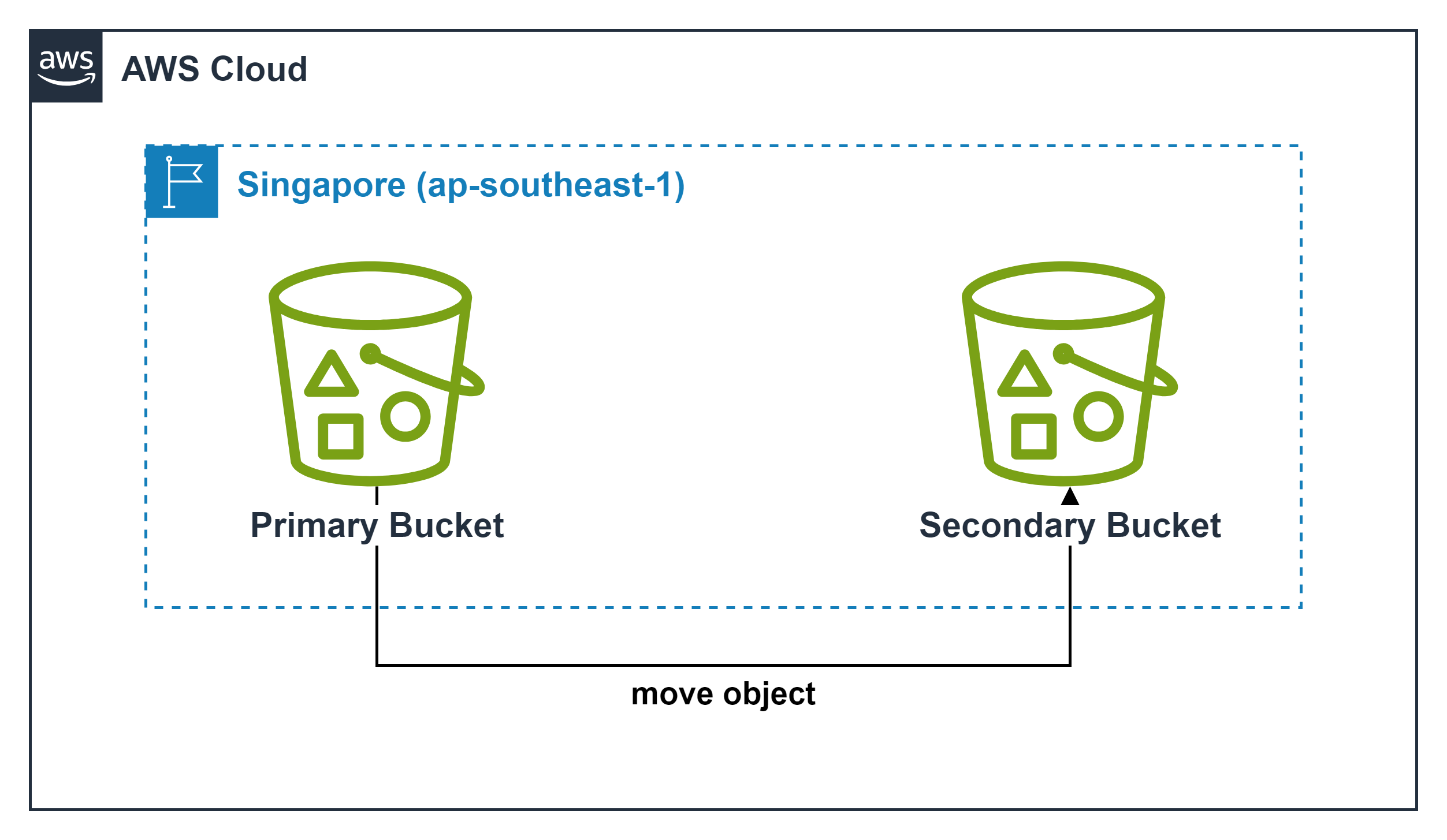
Move objects
Move Objects
- With the move action in the S3 console, you can move an object to a folder (prefix) in the same bucket or to another bucket.
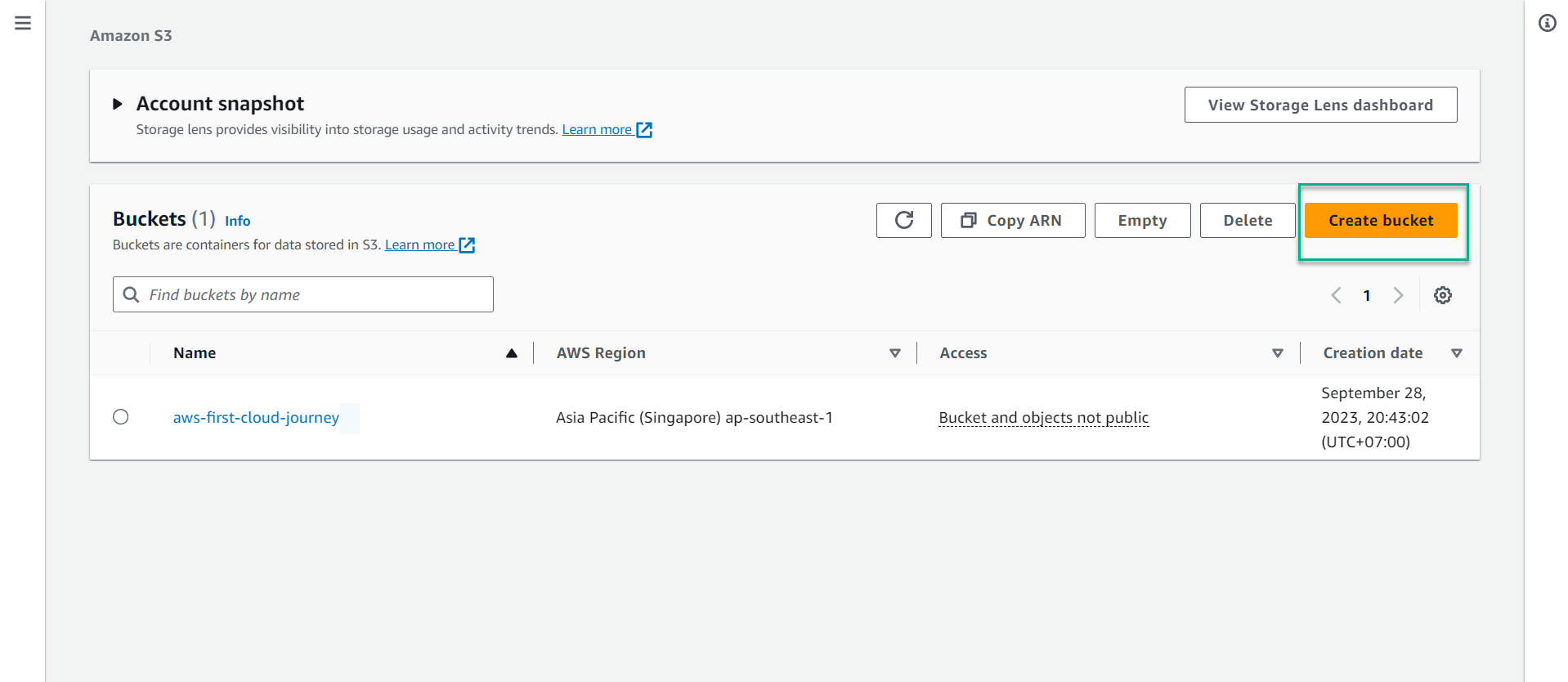
1. Create a new bucket
In the S3 bucket interface, select Create bucket.
In the Bucket name field, enter
aws-first-cloud-ai-journey-xxxx-move(xxxx is any numbers).
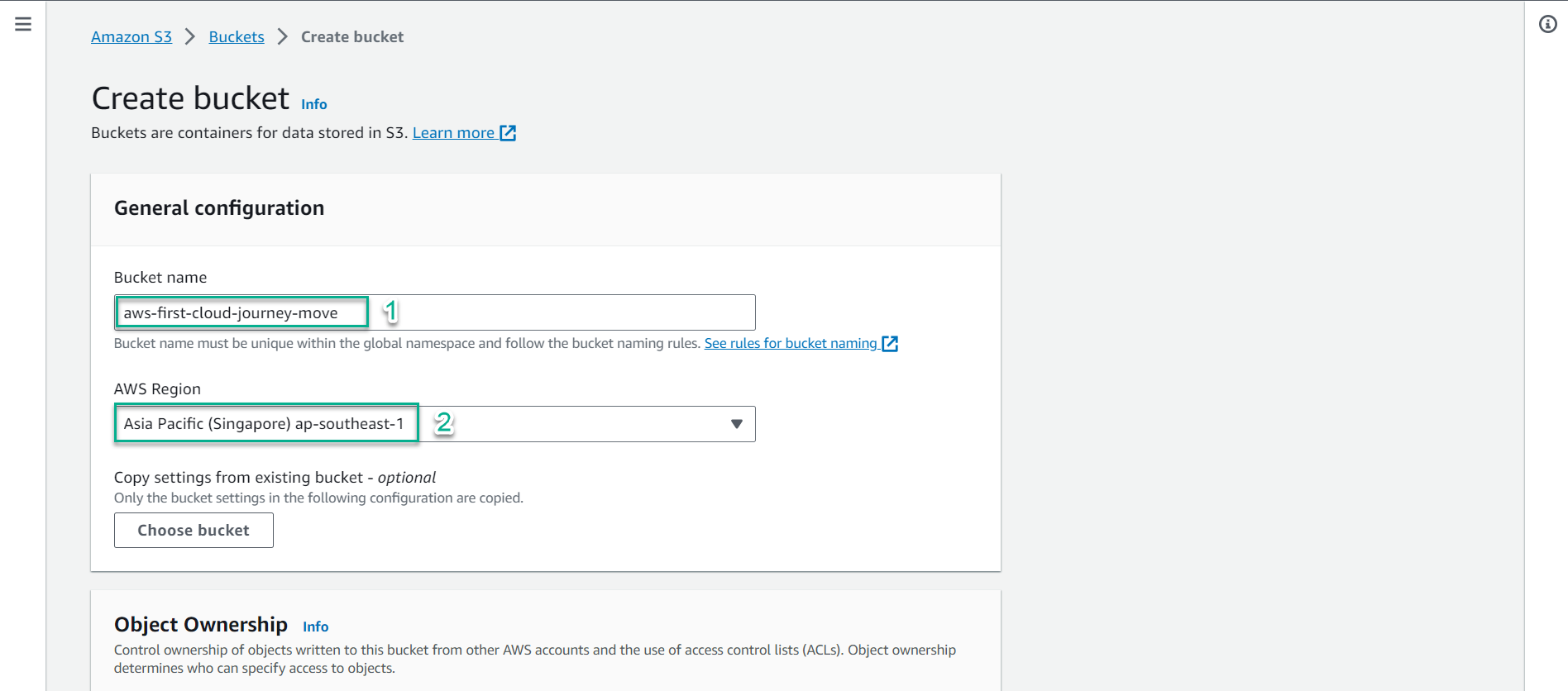
Keep the default values and select
Create bucket.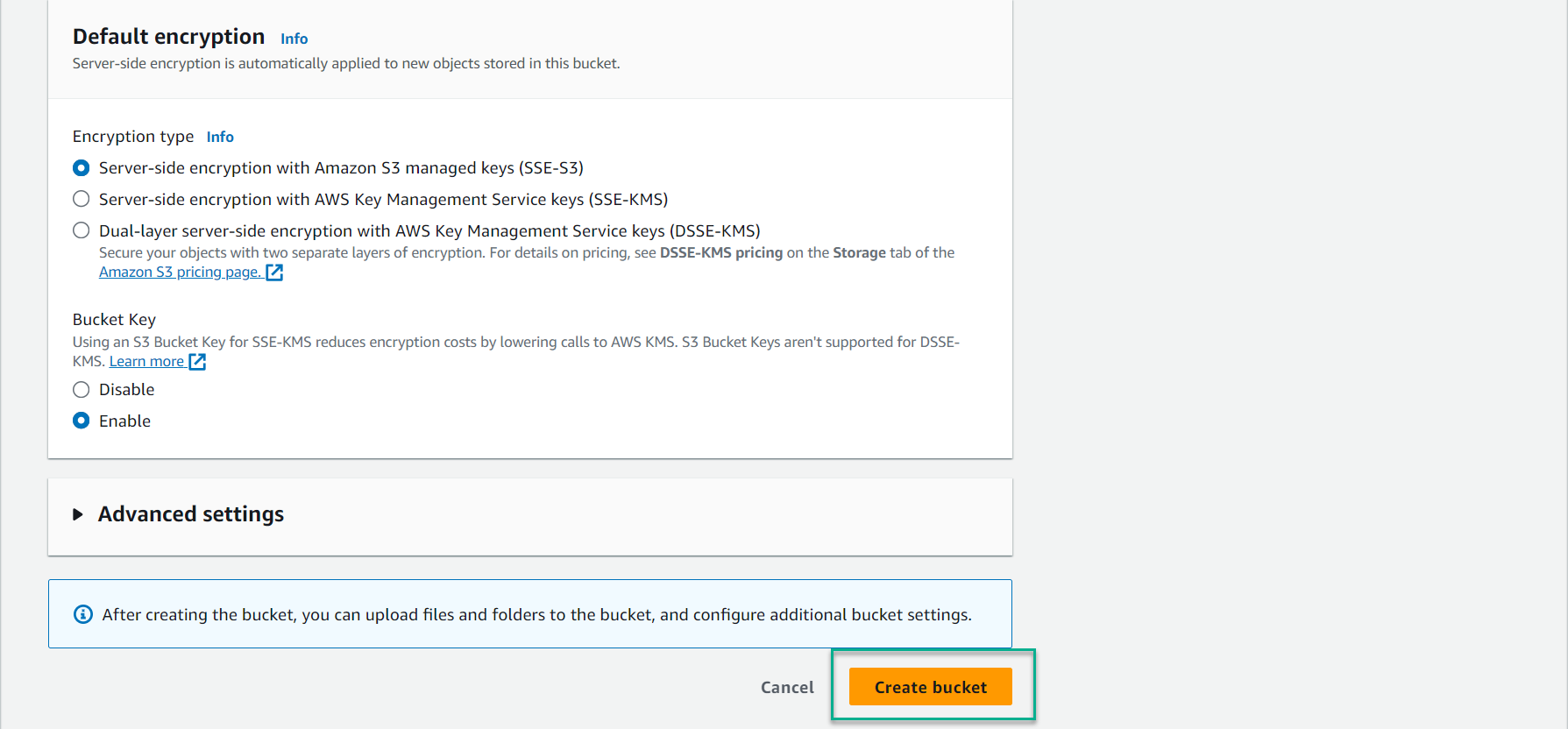
2. Move files between Buckets
In the Amazon S3 interface, select bucket aws-first-cloud-ai-journey-1902.
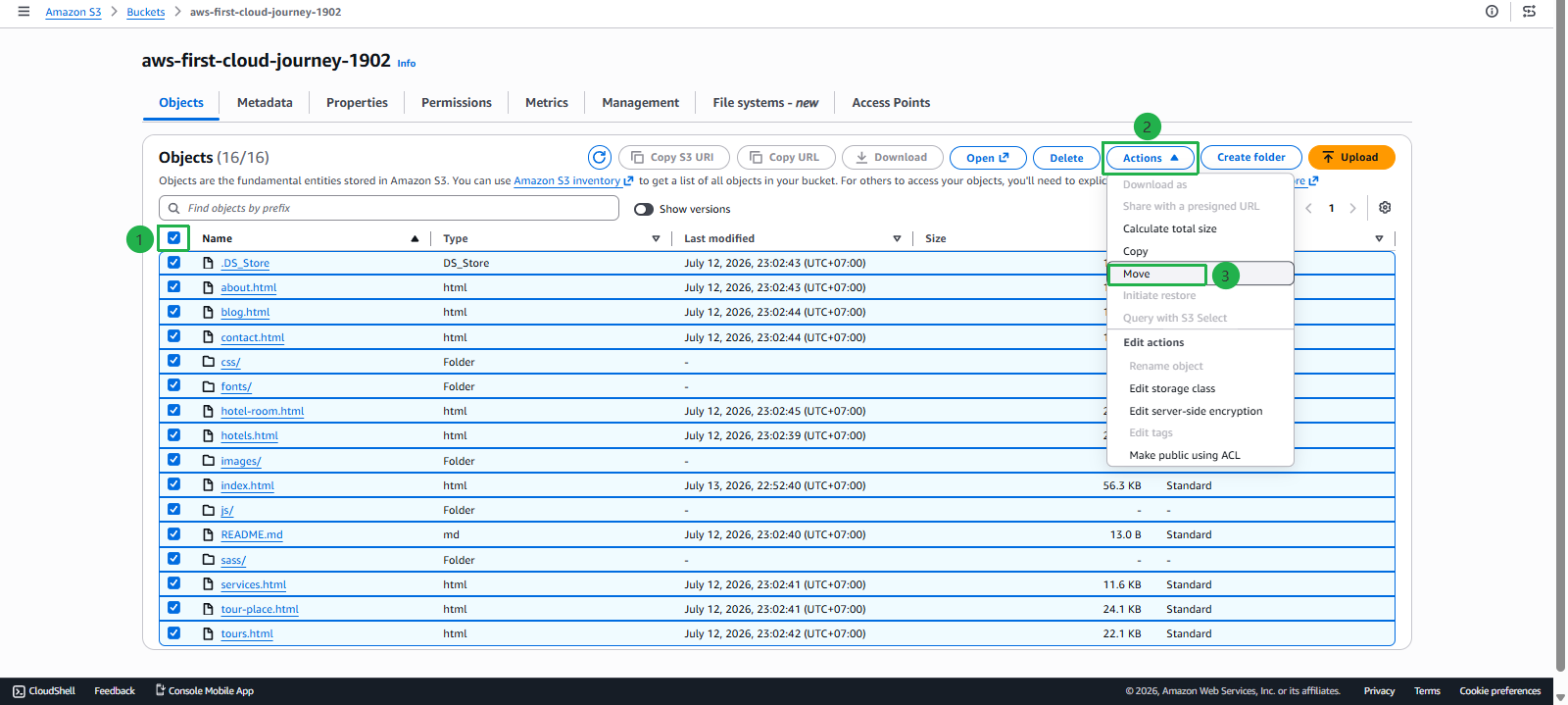
Check the square symbol next to the Name value to select all Objects.
Select Action, then select Calculate total size.
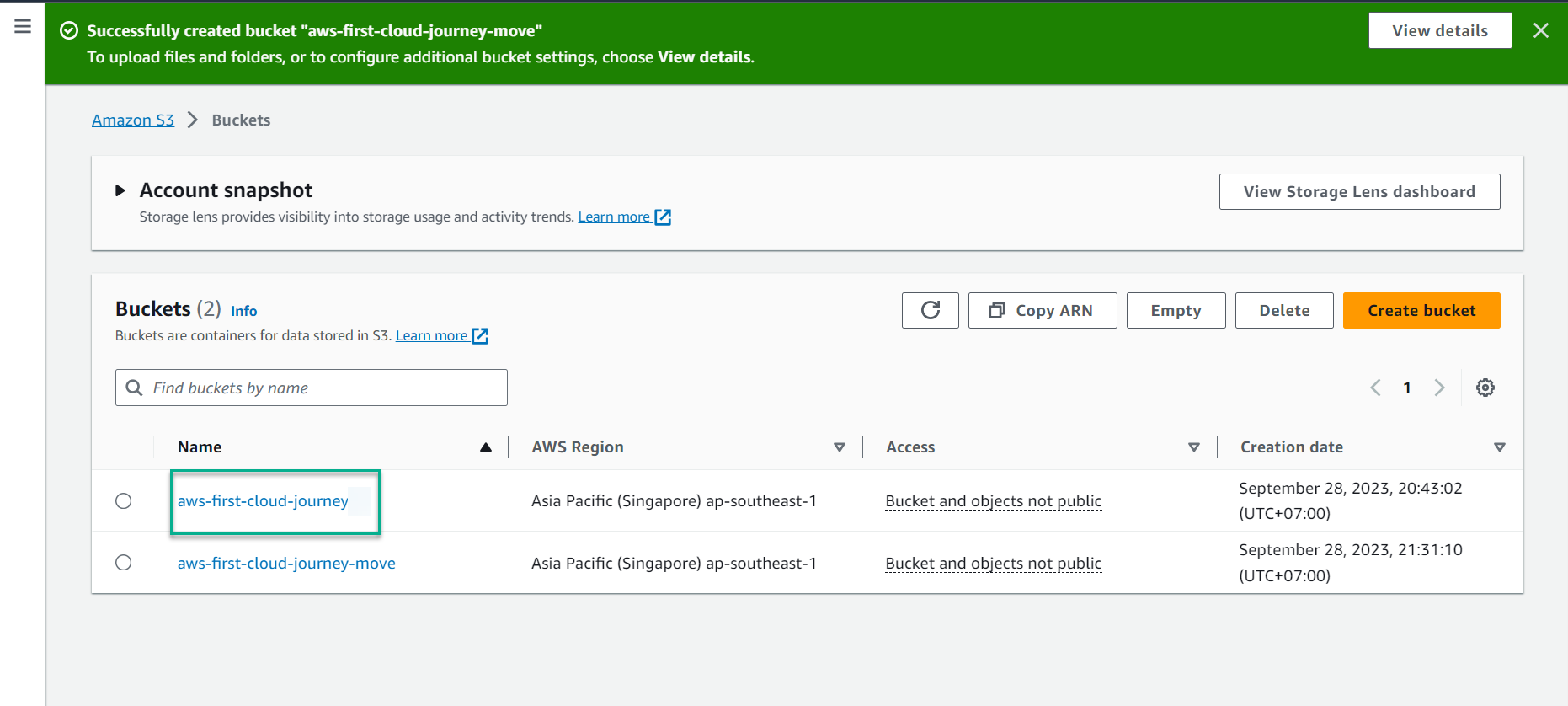
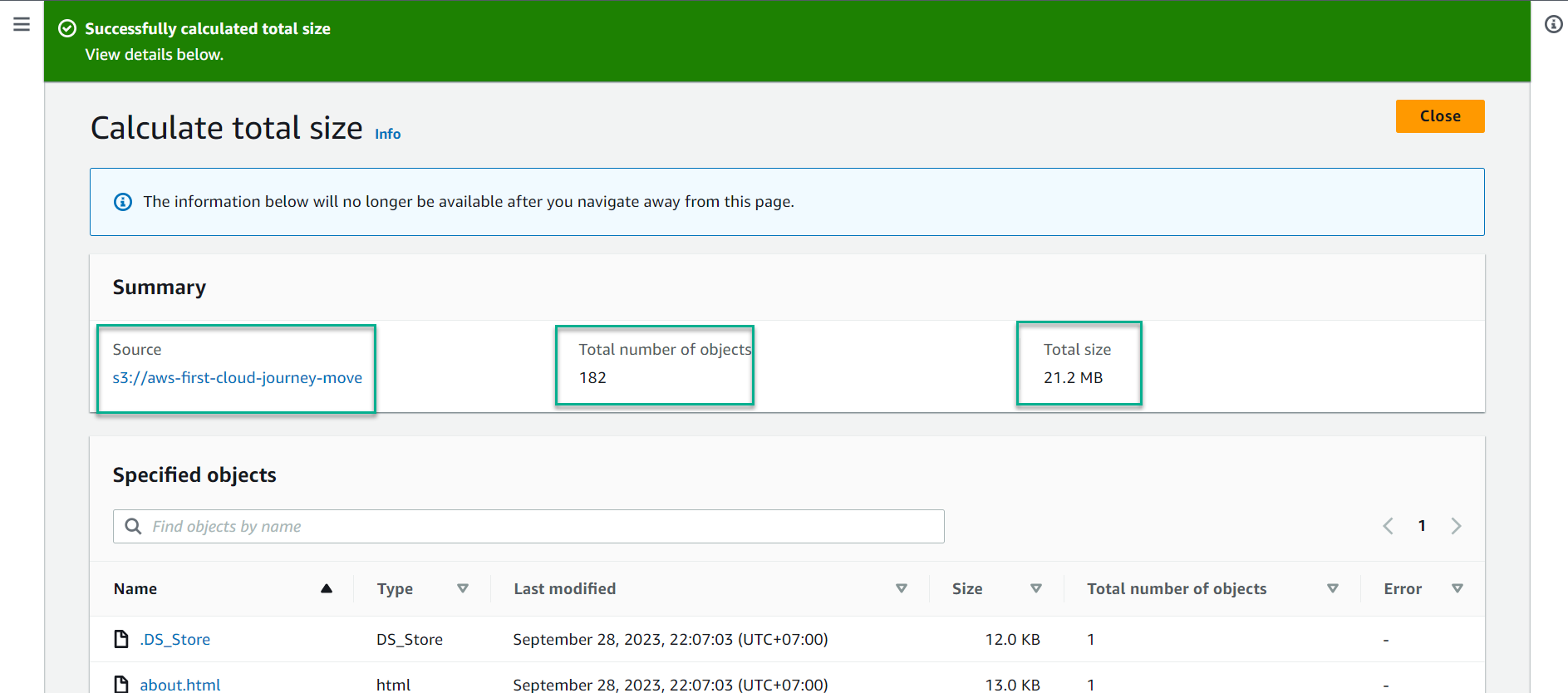
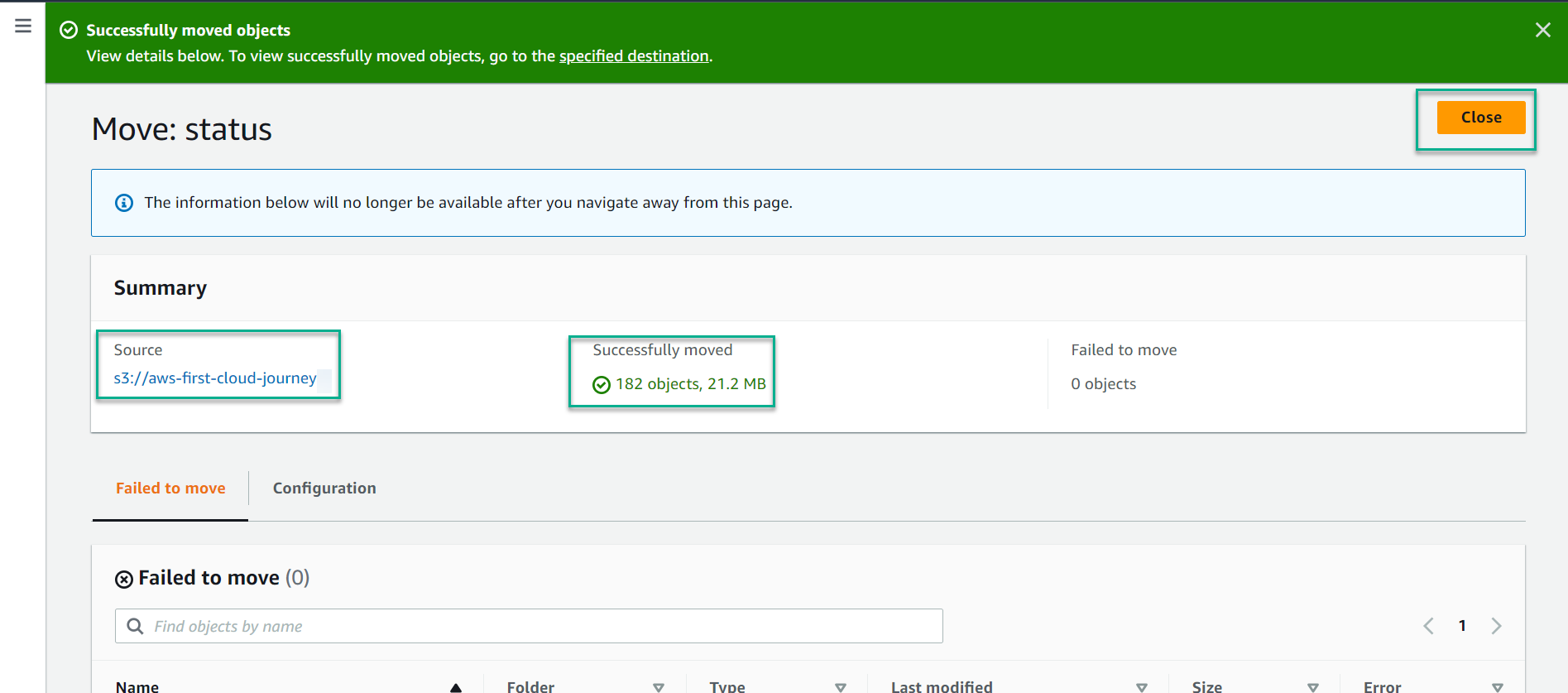
Result: 182 objects, 21.2 MB. Select Close.
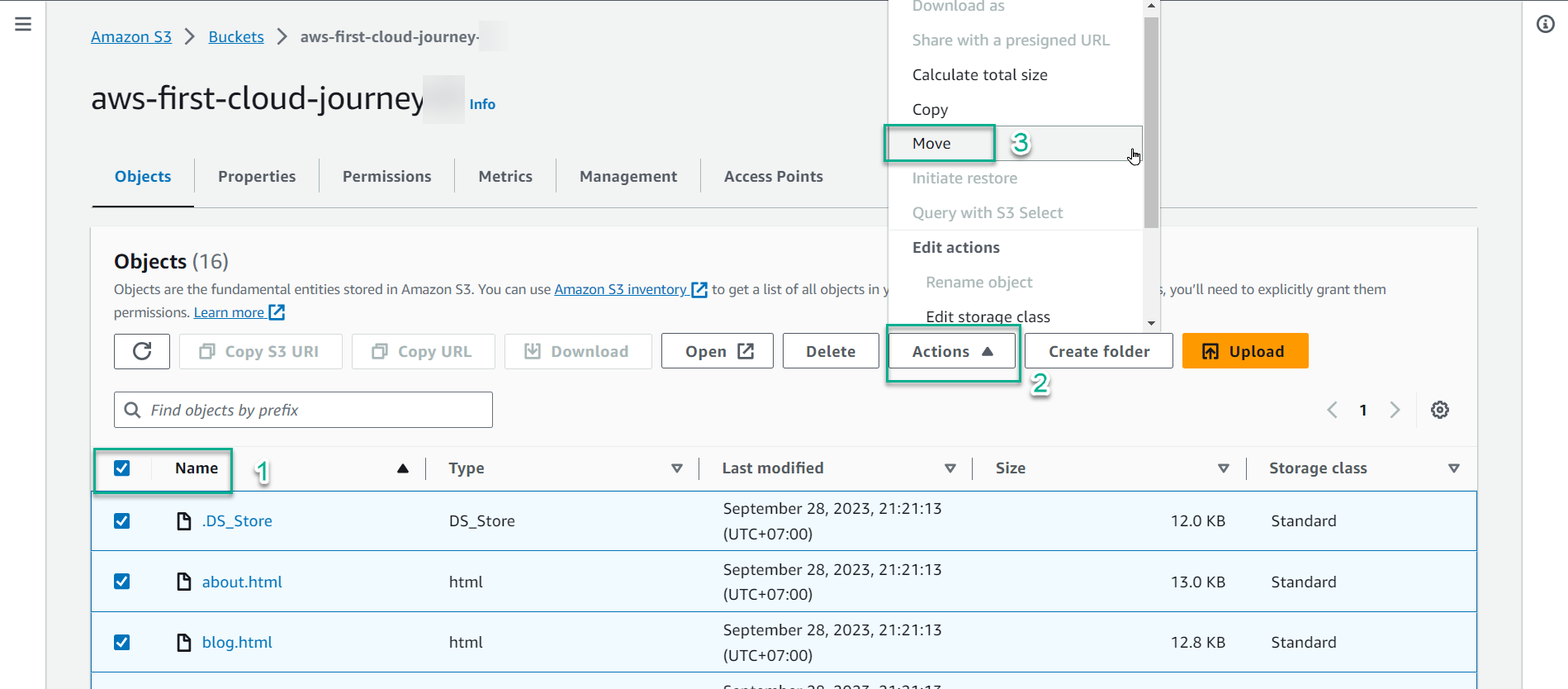
Select Action, then select Move.
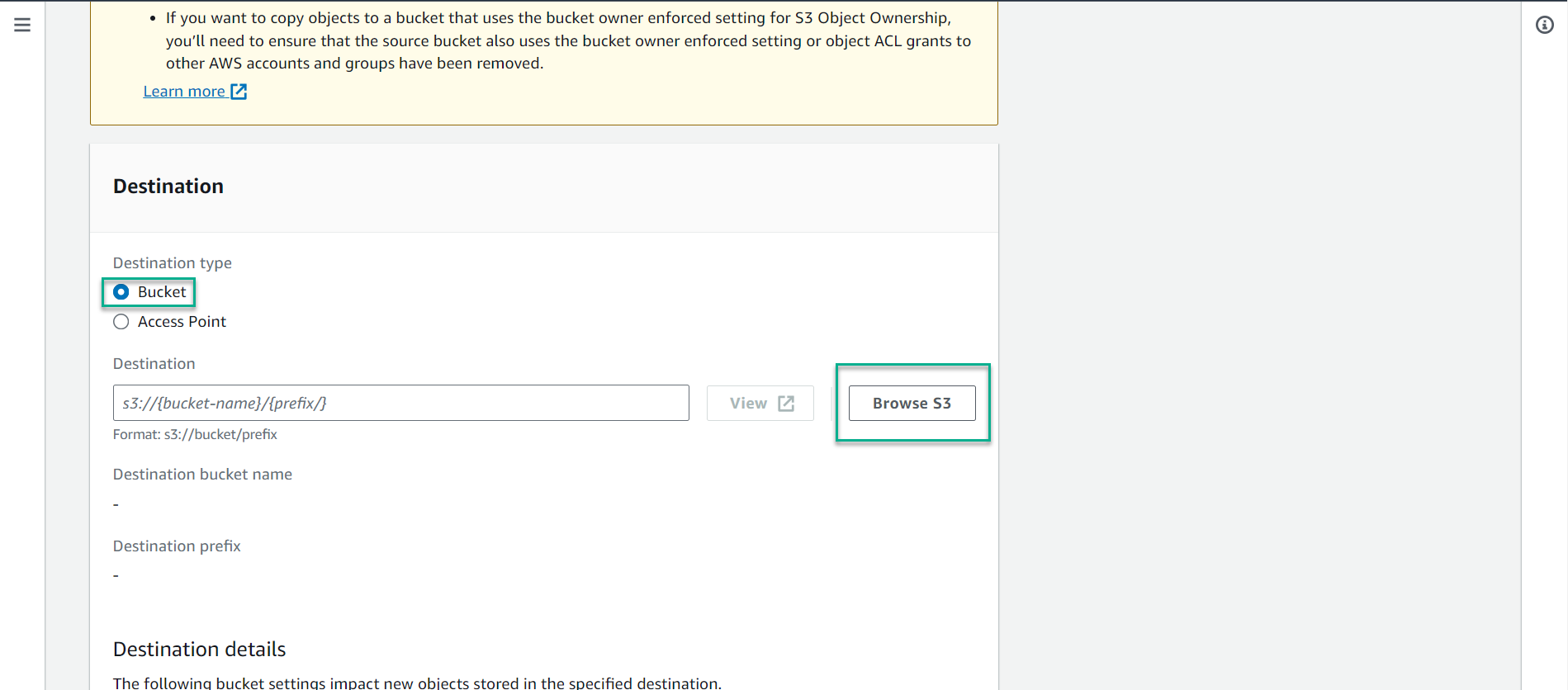
In the Destination type section, select General purpose bucket and Browse S3.
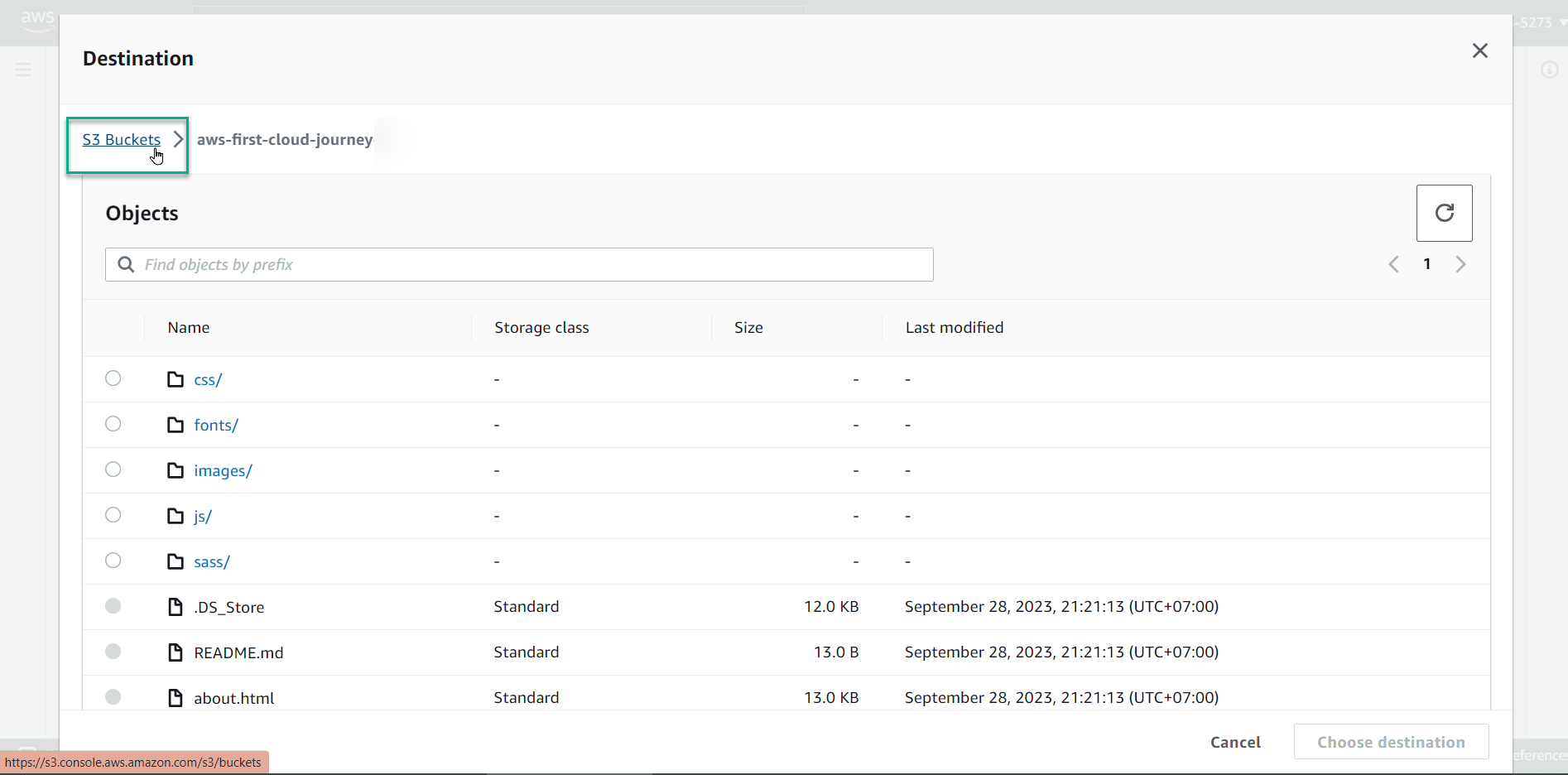
Select S3 Buckets.
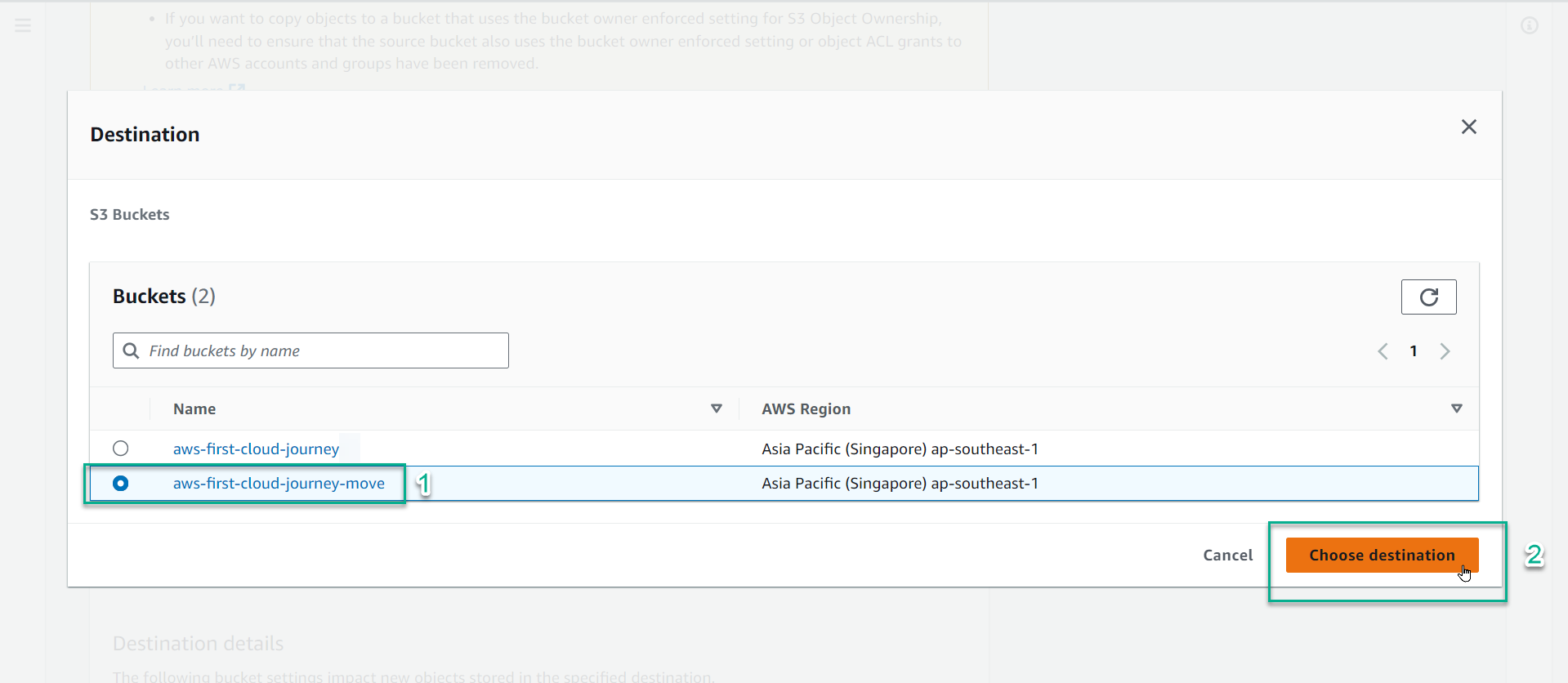
Select bucket aws-first-cloud-journey-1902-move and select Choose destination.
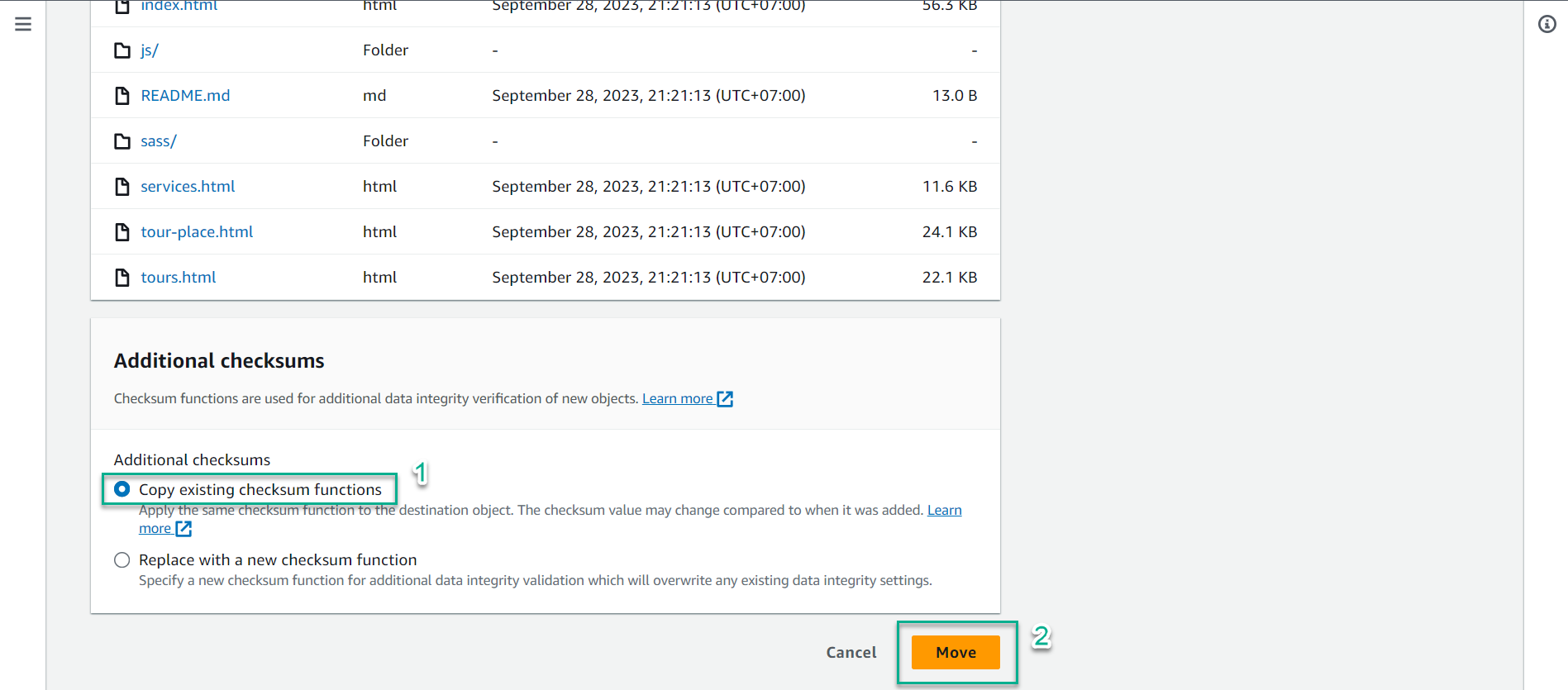
In the Additional copy settings section, leave Copy source settings as default and select Move.
Select Close after completion.
3. Check the Object in the new Bucket
In the Amazon S3 interface, select bucket aws-first-cloud-ai-journey-1902-move.
Check the square symbol next to the Name value to select all Objects.
Select Action, then select Calculate total size.
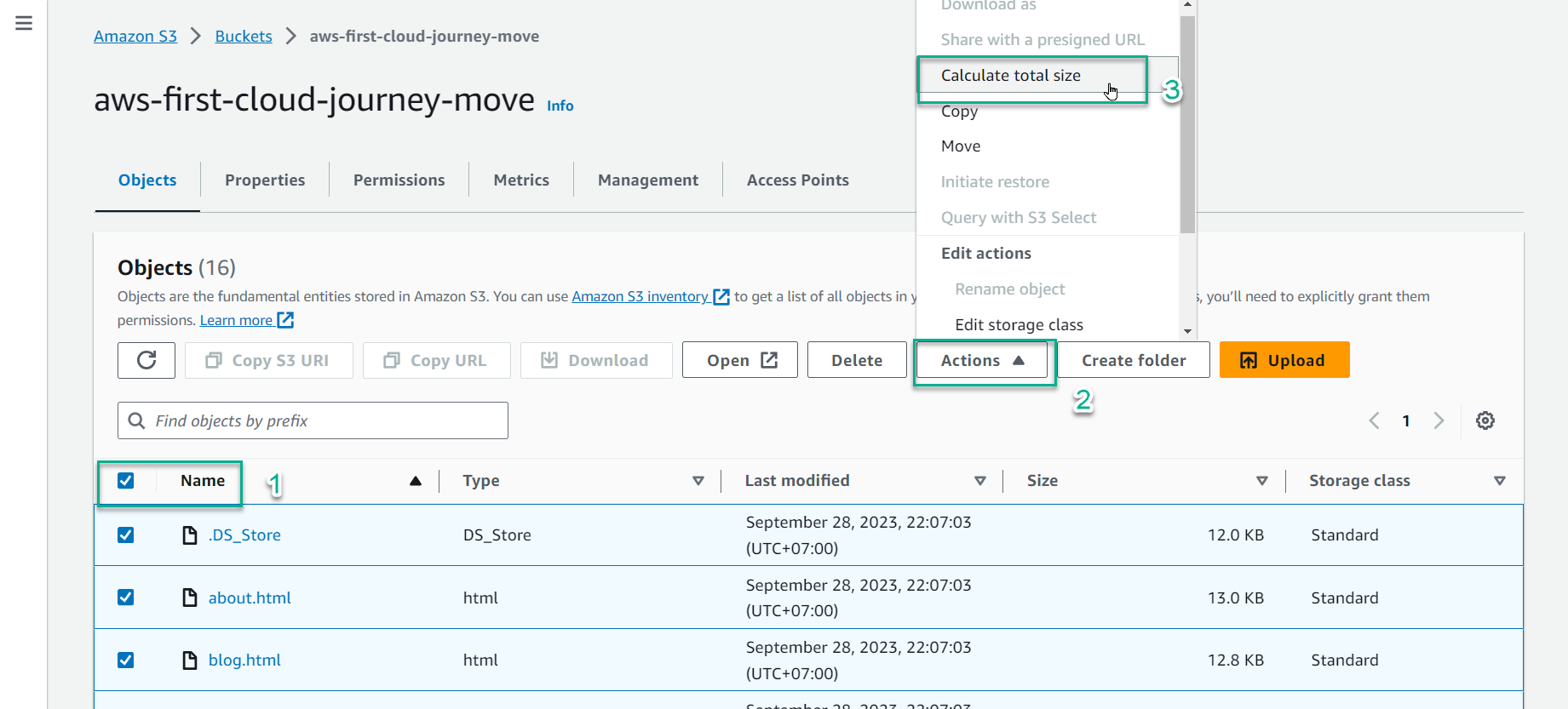
Result: 182 objects, 21.2 MB.