Test Amazon Cloudfront
1. Test CloudFront
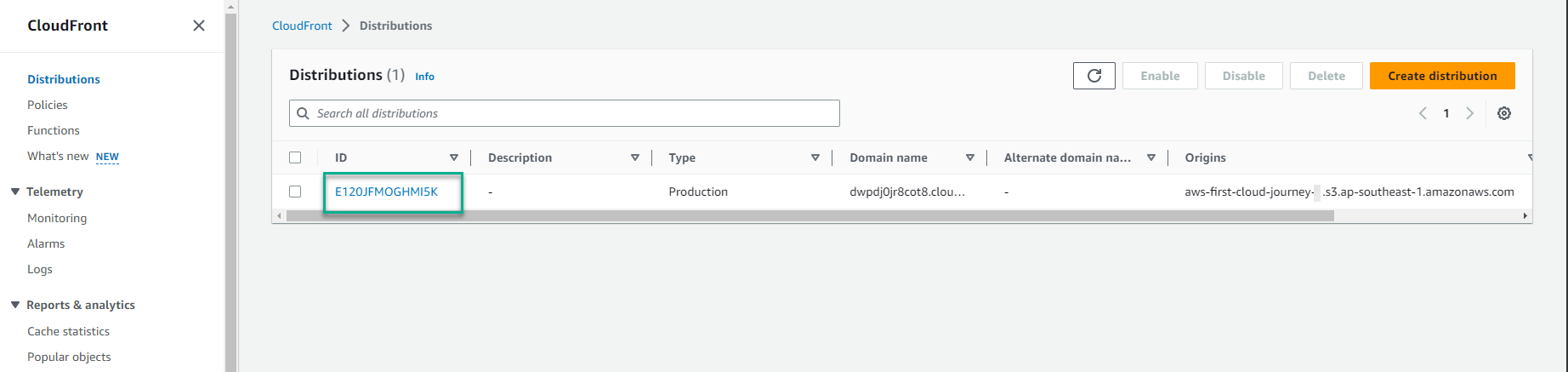
In the CloudFront interface, select the ID.
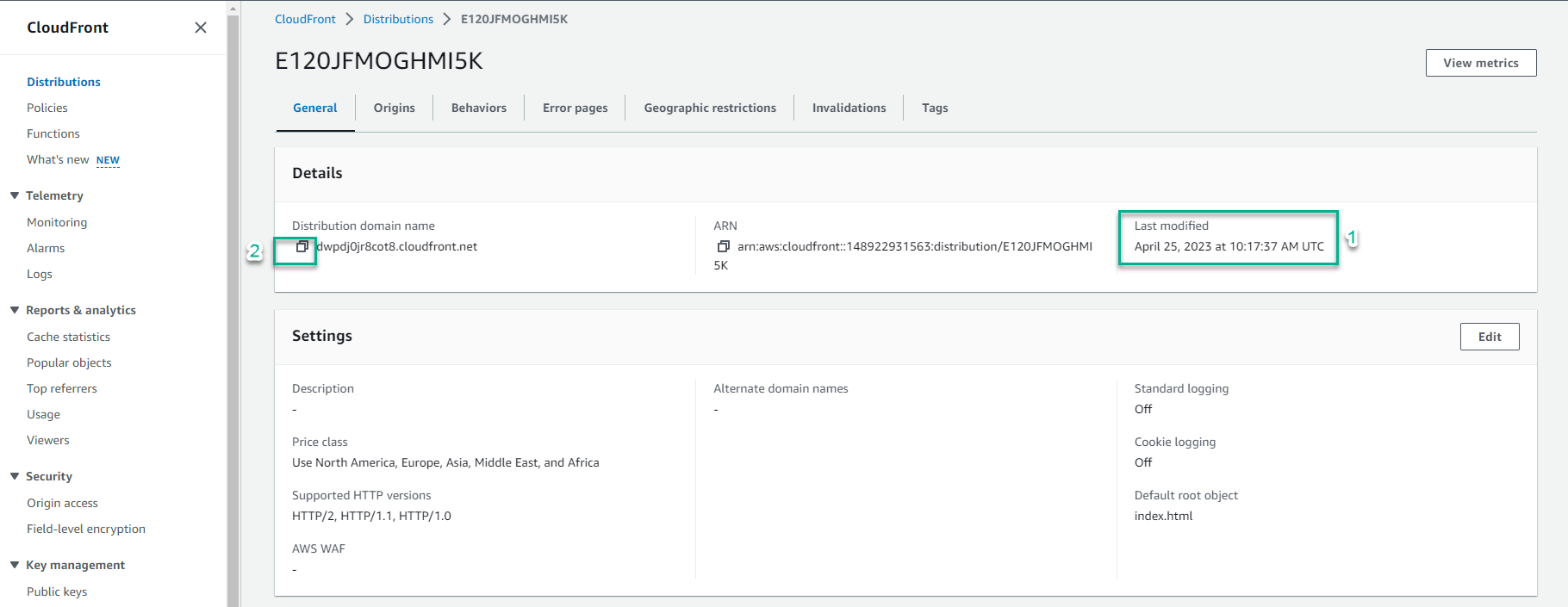
In the Distribution domain name section:
- Make sure that CloudFront has finished deploying by checking the content in the Last modified section.
- Select the square symbol to copy the URL.
Open another tab and paste the CloudFront URL value into the search bar and press enter.
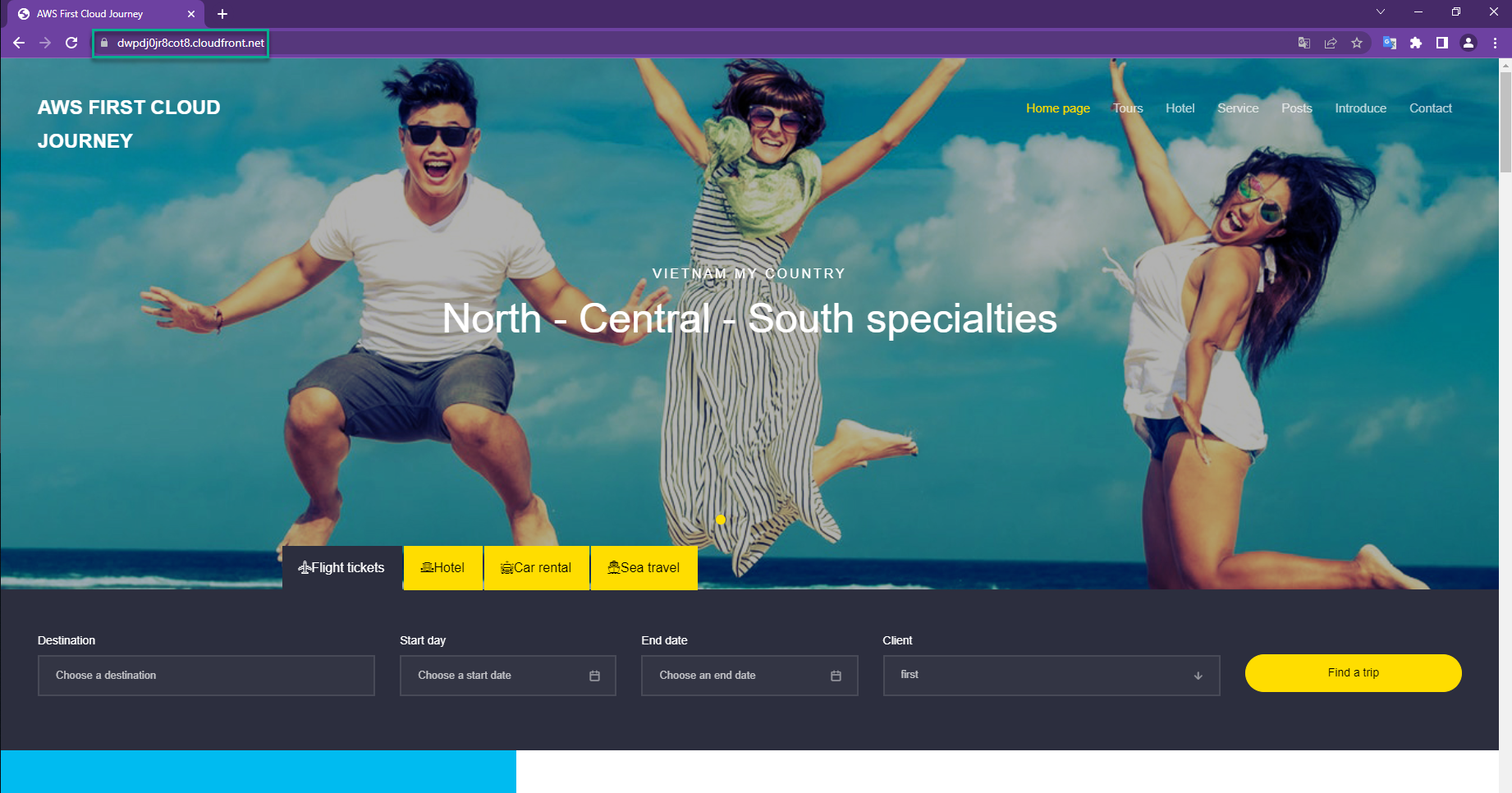
Congratulations on successfully deploying CloudFront to distribute a static website hosted on S3 without the need to make the bucket or objects public.
2. Check the website load time
In step 6 (testing the website), you saw that with S3’s Static website hosting feature, the travel website needed about 0.26 seconds to load. Let’s see how much the CloudFront service helped reduce this time.
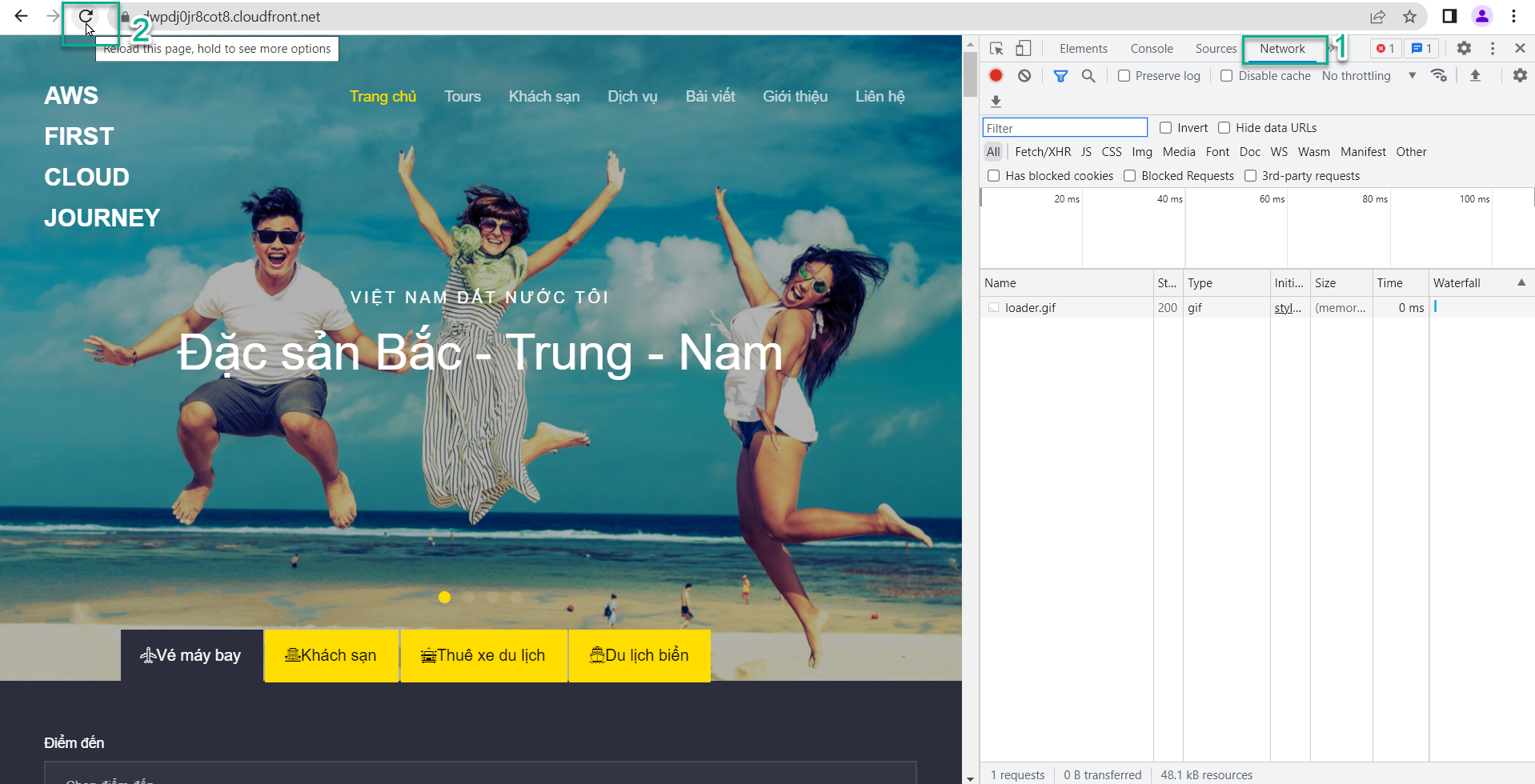
On the travel website interface, right-click and select Inspect.
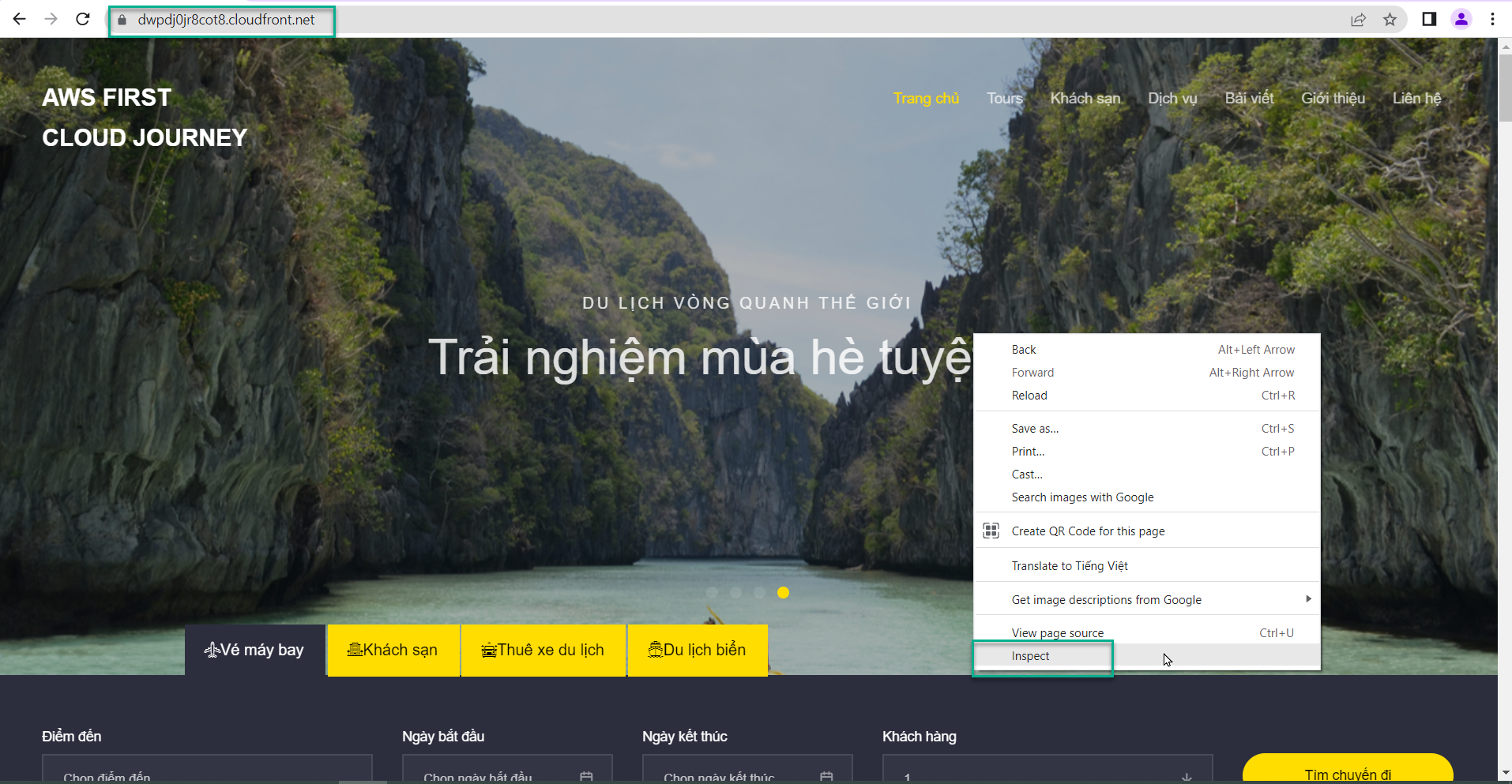
At the top right, select Network.
At the top left, select the reload icon.
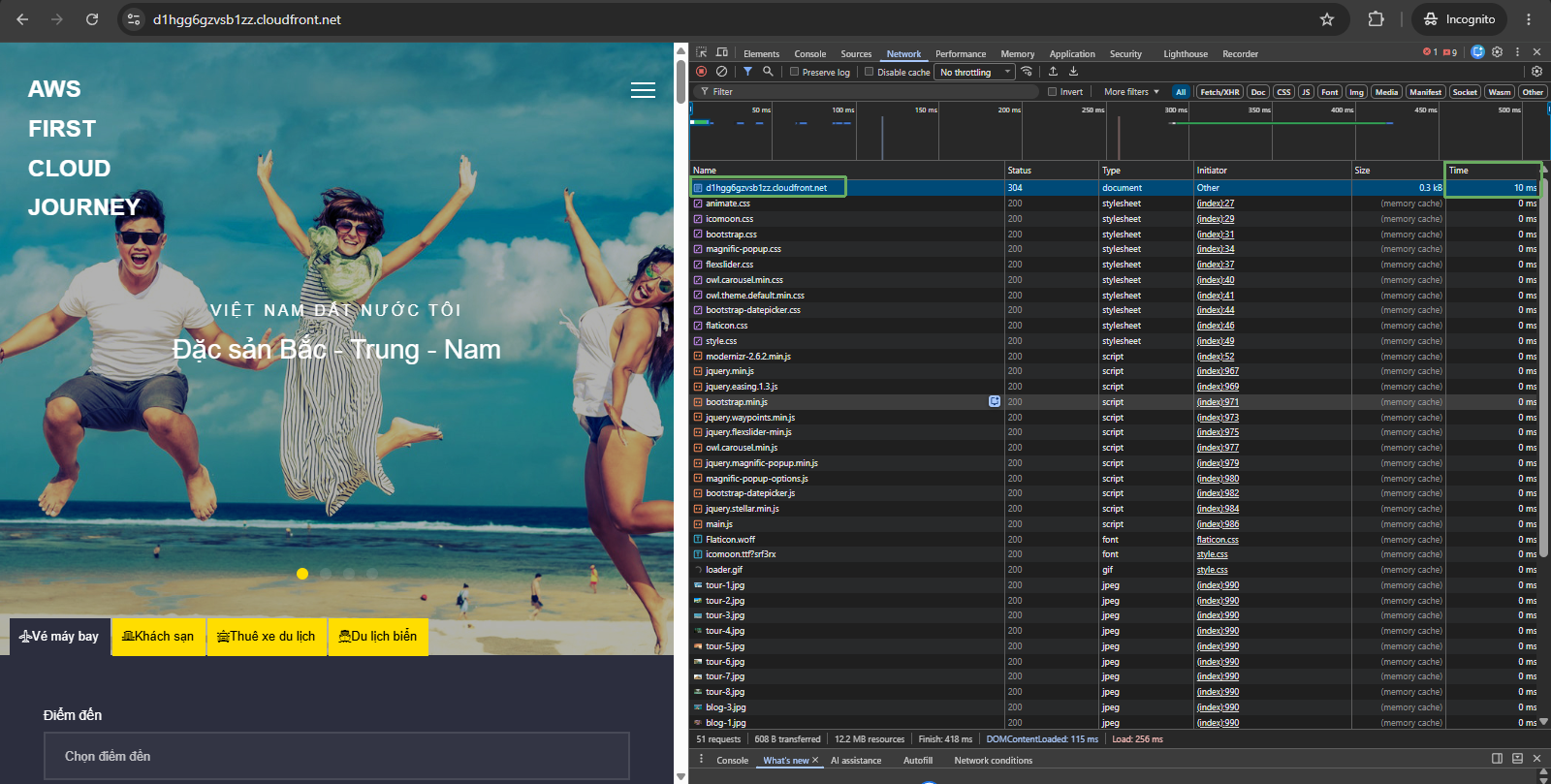
At the URL of the Distribution domain name, you will see the time column displaying a value of 10ms (milliseconds) = 0.01 seconds (note: this value is only approximate, depending on the time - this duration can increase or decrease).
Check which PoP this website’s content is being returned from among 450+ Points of Presence (PoP) globally:
- Click on the Distribution domain name.
- Select the Headers tab.
- Look at x-amz-cf-pop, with the value SGN50-P2 which is Ho Chi Minh City..
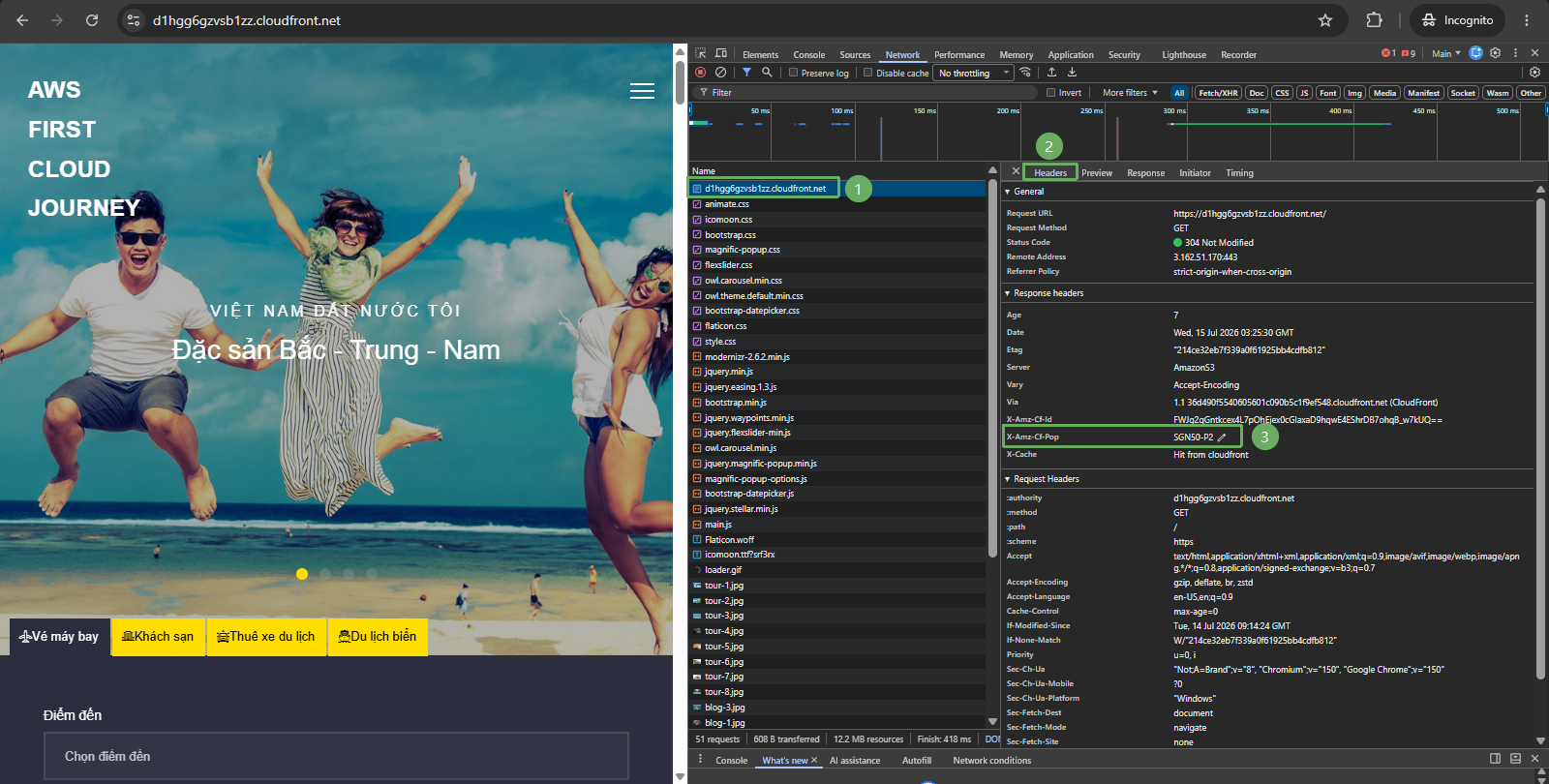
If you are in Hanoi and performing this lab, the website content will be returned from the PoP in Hanoi, which AWS newly deployed in 2022.
3. Summary
Through this lab, you have seen two great benefits of CloudFront:
- Distributing the content of a static website hosted on S3 without needing to make the bucket or objects public, increasing security.
- Distributing content with low latency and fast transfer speed, improving latency as CloudFront fetches content from the Edge location closest to the customer’s location.
Although in this lab the latency is quite low - only in milliseconds, in reality, for websites with larger amounts of information, CloudFront is the solution that helps end users quickly access the website, contributing to ensuring a great experience for the end users.